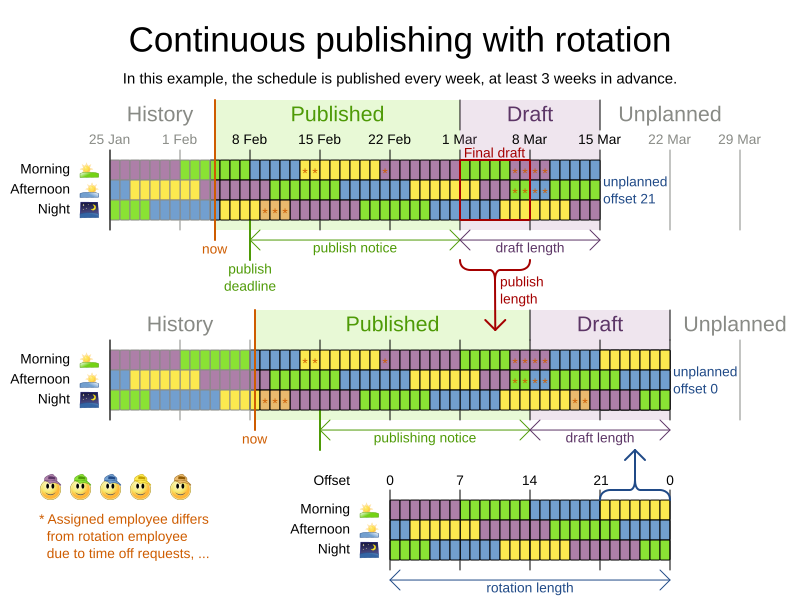
Continuous planning
Continuous planning is the technique of planning one or more upcoming planning periods at the same time and repeating that process monthly, weekly, daily, hourly, or even more frequently. However, as time is infinite, planning all future time periods is impossible.
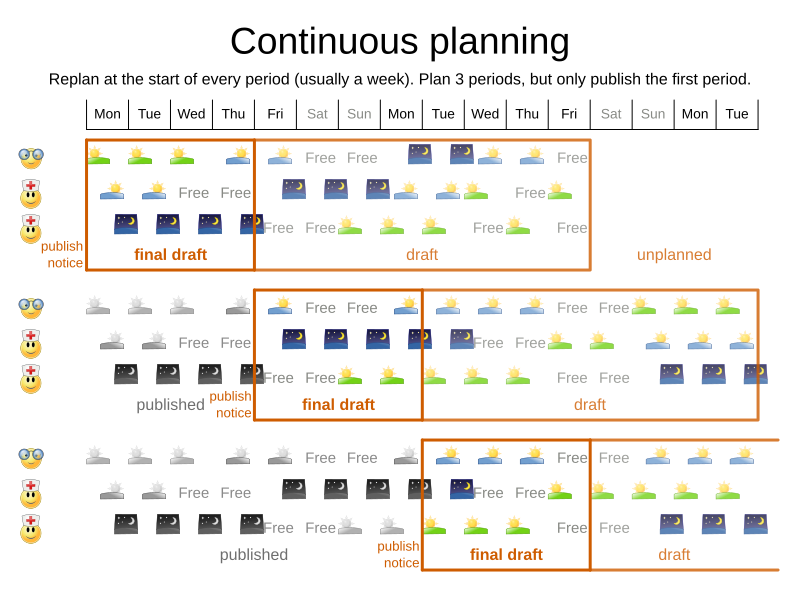
In the employee rostering example above, we re-plan every four days. Each time, we actually plan a window of 12 days, but we only publish the first four days, which is stable enough to share with the employees, so they can plan their social life accordingly.
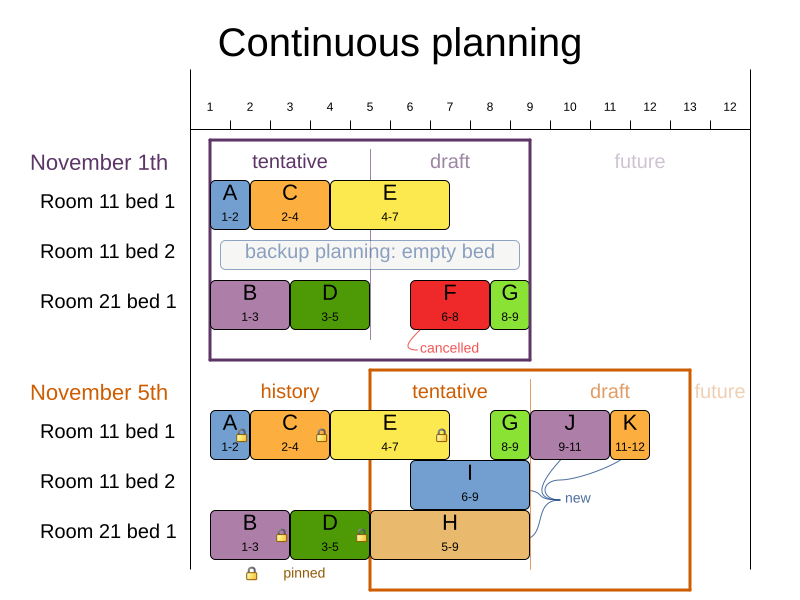
In the bed allocation example above, notice the difference between the original planning of November 1st and the re-planning on November 5th: some problem facts (F, H, I, J, K) changed in the meantime, which causes unrelated entities (G) to shift as well.
1. The planning window
The planning window is divided into stages:
-
History
Immutable past time periods containing only pinned entities.
-
Recent historic entities can still affect score constraints on movable entities. For example, in employee rostering, an employee who worked the last three historic weekends in a row should not be assigned three more consecutive weekends, because they require at least one free weekend per month.
-
Do not load all historic entities into memory: even though pinned entities do not affect solving performance, they can cause out-of-memory problems as data grows over years. Only load those that might still affect current constraints, with a reasonable safety margin.
-
-
Published
Upcoming time periods that have been shared with the business. They contain only pinned and/or semi-movable planning entities.
-
Normal planning will not change the published schedule.
If exceptions force a change anyway (for example, someone calls in sick), minimize disruption using non-disruptive replanning.
-
-
Draft
Upcoming time periods after the published window that can change freely. They contain movable planning entities, except for any that are pinned by a user.
-
The first part of the draft, called the final draft, will be published in the next run, so these entities change one last time. The publishing frequency (for example, once per week) determines how many time periods move from draft to published each run.
-
The latter part of the draft is likely to change again in future runs, especially as problem facts change.
Even so, these later entities must be planned now to avoid painting yourself into a corner. For example, scheduling all rare-skilled employees at the end of the upcoming published week may look fine for that week, but make it impossible to build a feasible schedule the week after. The draft window must therefore extend well beyond the portion that will be published first.
-
The latter draft is not usually shared with the business because it is too volatile. It is stored in the database and used as the starting point for the next solver run.
-
-
Unplanned (out of scope)
Planning entities outside the current planning window.
-
If the window is too small to cover all entities, you are dealing with overconstrained planning.
-
If time is a planning variable, the window size is determined dynamically, and this stage does not apply.
-